Features

Built for the people
who ship 3D assets.

Outsourcers, freelancers and in-house teams use it as the last stop before the asset leaves the building.

The scan

95+ kinds of problems, eleven groups

Each check can be switched off per project, or set to show as an error or a warning. Anything you decide is fine goes grey with "Not a problem" and stays that way in the next scans.

✓Geometry
✓UV
✓Normals
✓Smoothing
✓Materials
✓Textures
✓Texel density
✓Naming
✓LODs
✓Collisions
✓Optimization
Report

Problems you can click

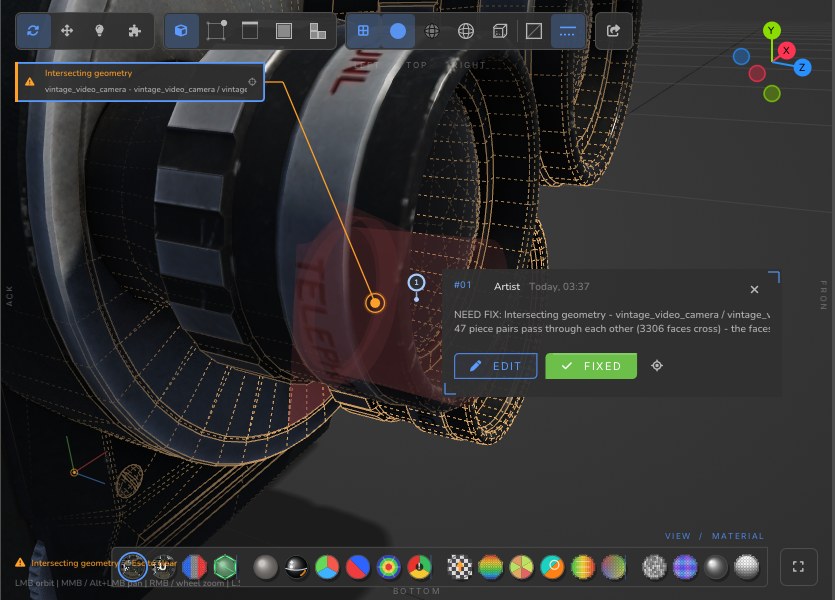
Each finding names the part, how many faces or edges it touches and why it matters. Click it and the camera flies to the spot, the faces light up, the UV editor frames the island.

  • Health score per category and overall, with a grade
  • Errors, warnings and notes, each with the exact elements
  • Export the report to HTML to send with the asset
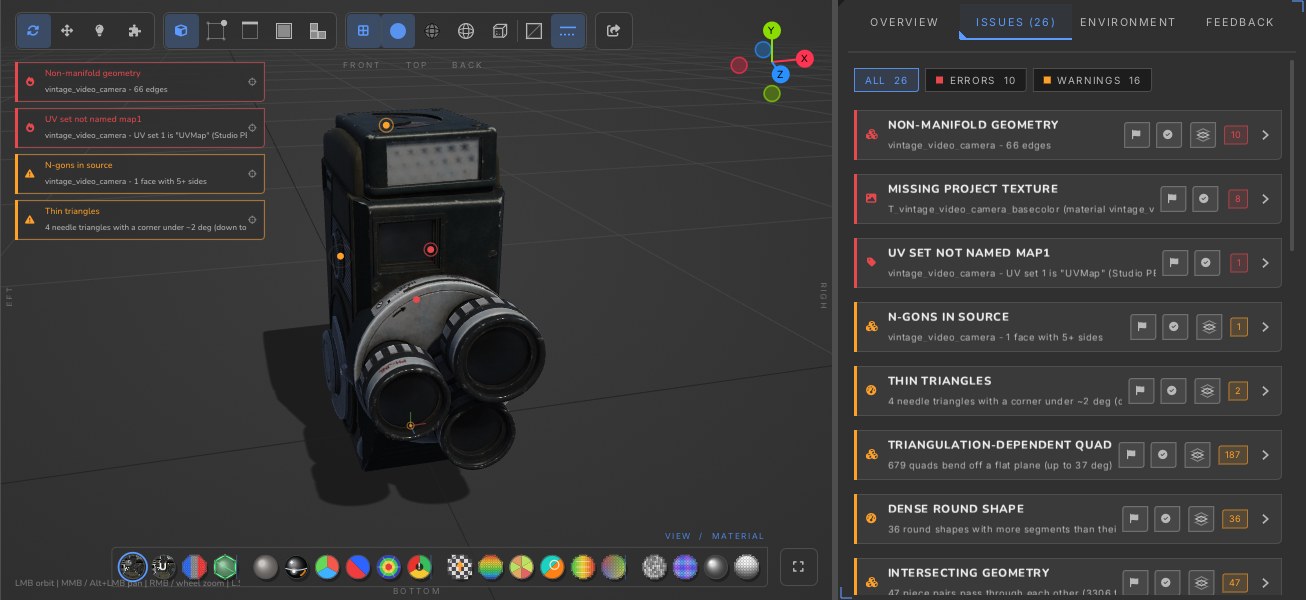
Problems listed and marked on the model
UV editor

See the UVs the way the baker will

Checker, texel density heat-map, overlaps and padding drawn over the real texture. Open any texture full screen with a list of every map beside it.

  • Padding measured at the size the texture will be
  • Several UV sets, islands, overlaps, flipped shells
  • Feedback cards pinned to a spot on a texture
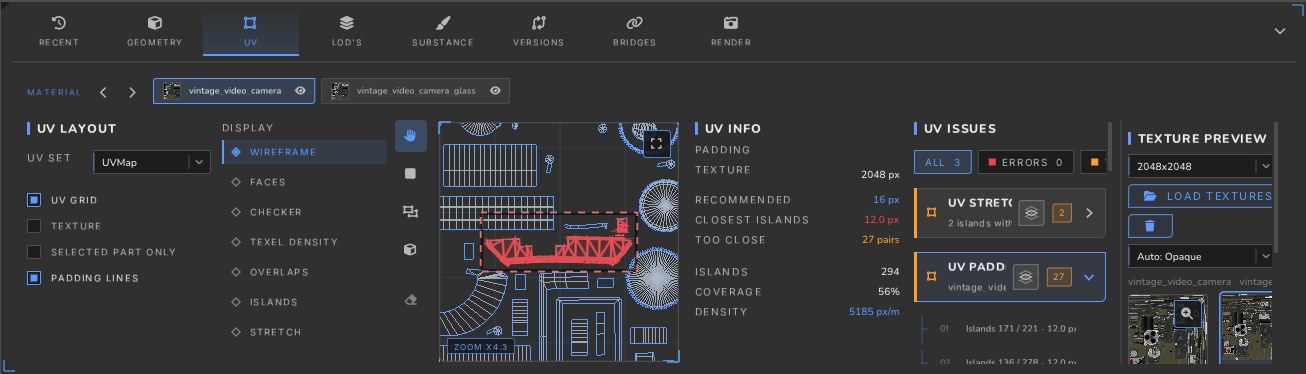
The UV editor with a padding problem highlighted
Render sheets

Present the asset, not a screenshot

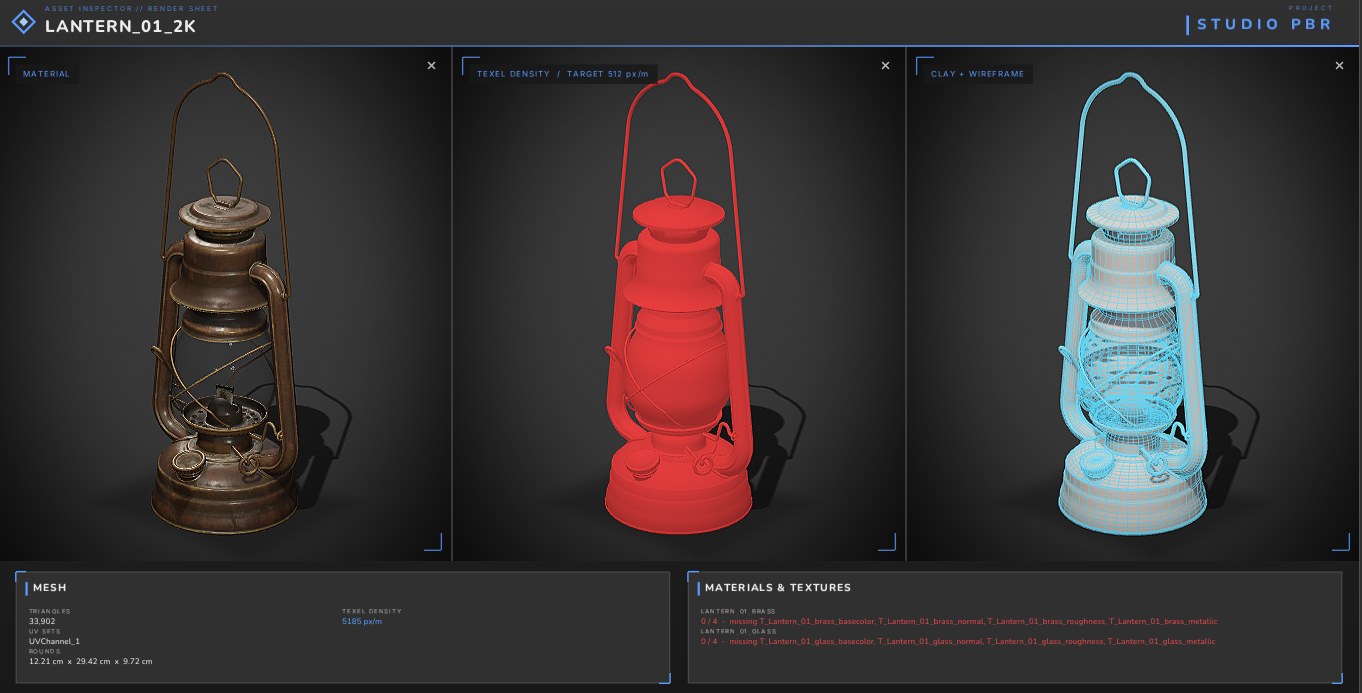
Pick the views - material, texel density, clay with wireframe, LOD rows - turn them all at once and render a sheet with the mesh stats and the project's name.

  • Ray-traced occlusion, shadows and bounce light
  • Default, black, white or your own background
  • Turntables and your watermark
A render sheet of a lantern
Projects

Every client's rules, checked every time

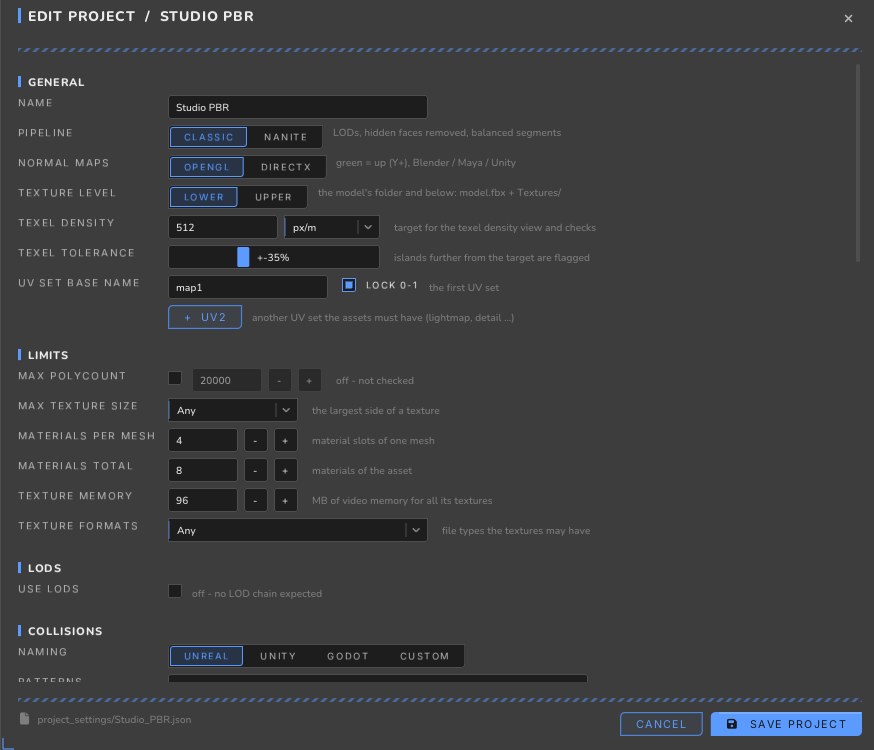
Make a project per client and the scan knows what "done" means there: which maps, how they are named, the normal map format, the texel density target, the limits.

  • Texture sets and their naming, per slot
  • Polycount, texture size and format limits
  • LOD expectations and collision naming
The rules of a project
LODs & collisions

The whole LOD chain, side by side

Load LODs from one FBX, several files or a Maya scene. Every level shows its triangle count and its drop from the one before; the project sets the targets. Collision meshes are recognised by the naming of your engine.

  • Up to 7 custom slots, several files per slot
  • Show all: objects in columns, LODs in rows
  • Collision naming for Unreal, Unity, Godot or your own
LOD0532 tris
LOD1176 tris · -67%
LOD264 tris · -64%
LOD320 tris · -69%
And more

The rest of the toolbox

Bridges to your DCC

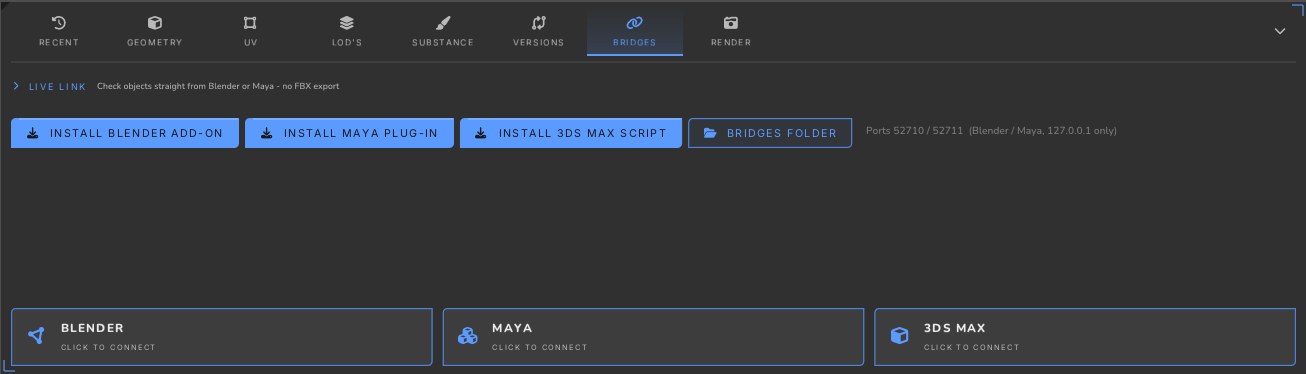
Add-ons for Blender, Maya and 3ds Max install themselves. Pull the selection into the inspector without exporting by hand; edits show up a moment later.

Bridges

Substance Painter check

Compare the .spp project with the FBX: triangle and vertex counts, UV shapes per material, meshes missing from the painter project.

Versions & compare

Every update is archived per asset; compare two versions split, side by side or by flipping, with a table of what changed.

Feedback with Before / After

Mark a region, draw on it, write the fix. After the update the same view is captured again - before / after, marked fixed by itself. One click turns the notes into a PureRef board.

A feedback card

20 ways to look at it

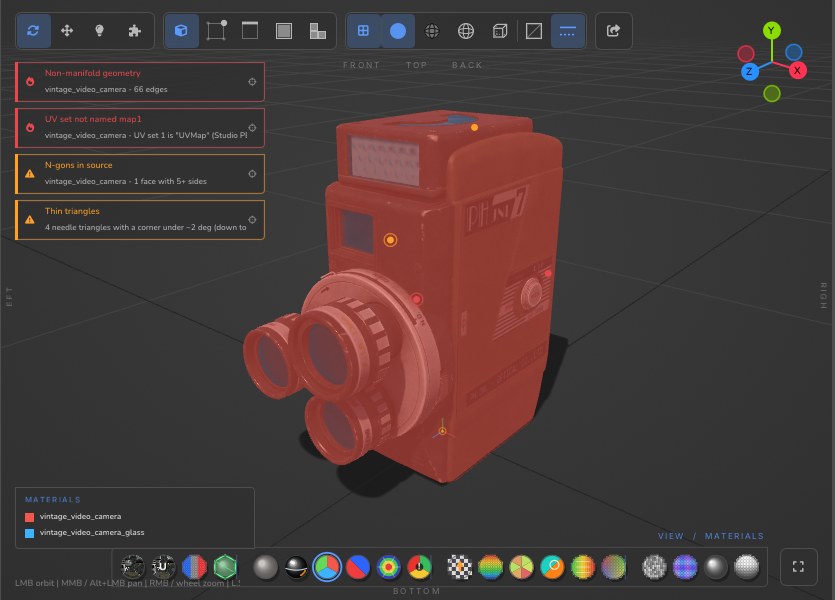
Materials, shading, face orientation, triangle and texel density, UV shells, overlaps and stretch, the problem heatmap - each with its legend.

The Materials view

Classic & Nanite

Rules for the pipeline you build for: LODs and budgets, or UE5 Nanite density, solid meshes and opaque materials.

Send to your DCC

One button opens the model in Blender, Maya or 3ds Max with a new scene - and connects the live link.

Review in VR

Put on a Quest 3: the model on the table at real scale, the scan, the findings and the notes around you.

Viewer mode

Double-click any FBX in Explorer to open a light viewer straight on the model - no project, no waiting.

HTML reports

Every finding with its category and elements, in a file you can attach to the delivery.

Your next asset passes review the first time.